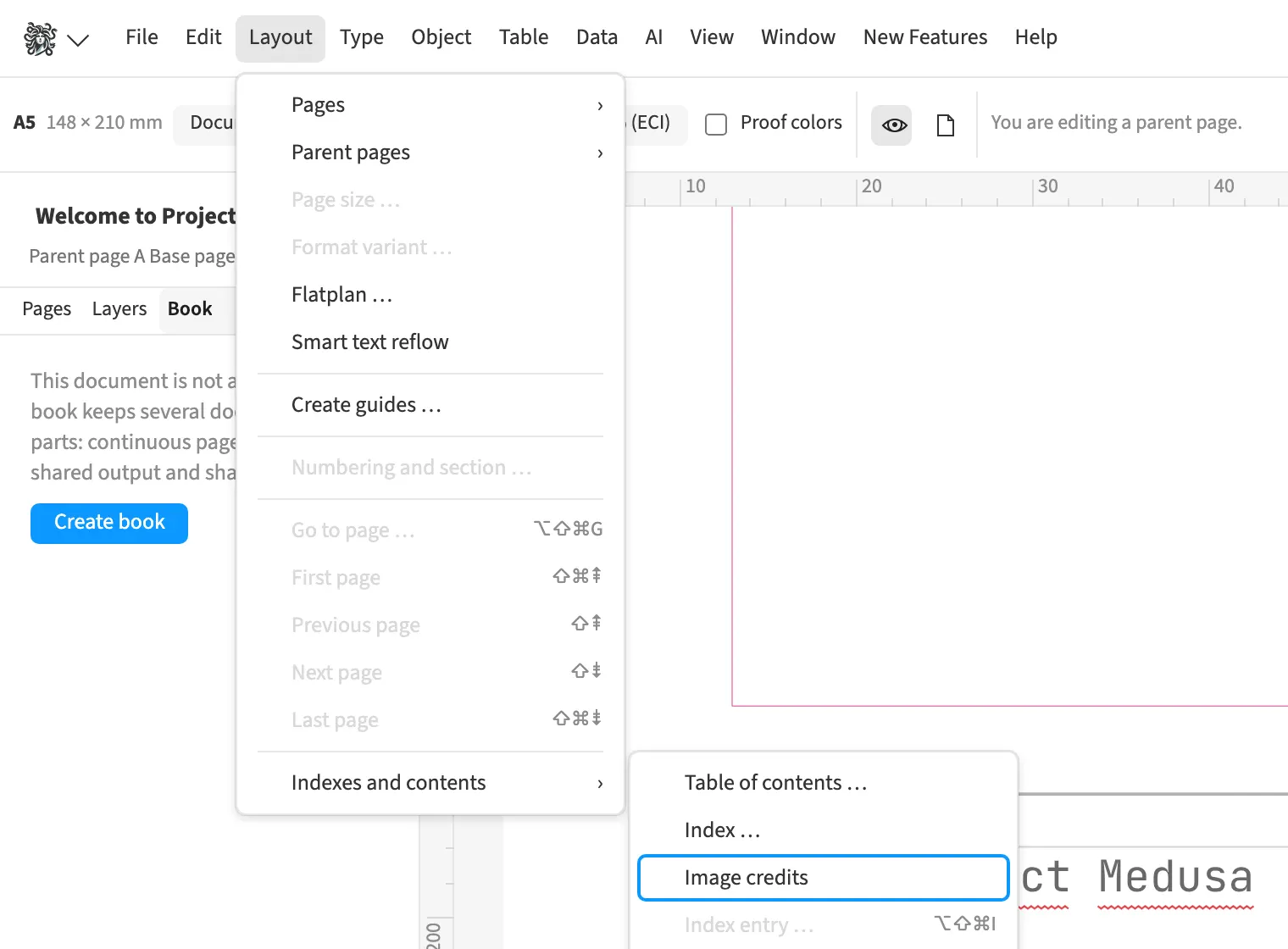
Where to find itLayout › Indexes and contents › Image credits
Medusa reads creator and rights information from image metadata and provides the credit on the image frame. For a magazine, you can collect credits for the photographs used, with page numbers, in one list. Hidden images do not count, while images in groups, shapes and the text flow do. You place the collected list in the document and update it after replacing images or changing pagination.
How to do it
- Check the «Image credit» field on the image frame.
- Choose «Layout» › «Indexes and contents» › «Image credits».
- After changes, use «Update tables».
Compared
Books, TOC, index, cross-references
- Medusa availableseveral indexes per document, for people and places, say; page ranges collapsed; image credits as a field and as a collected list
- Adobe InDesign available↗ Adobe: What’s new in InDesign
- QuarkXPress available↗ Quark: A Guide to QuarkXPress 2025
- Affinity Studio available↗ Affinity: About books
Vendor sources, as of 25.9.2026 · Full comparison with all sources