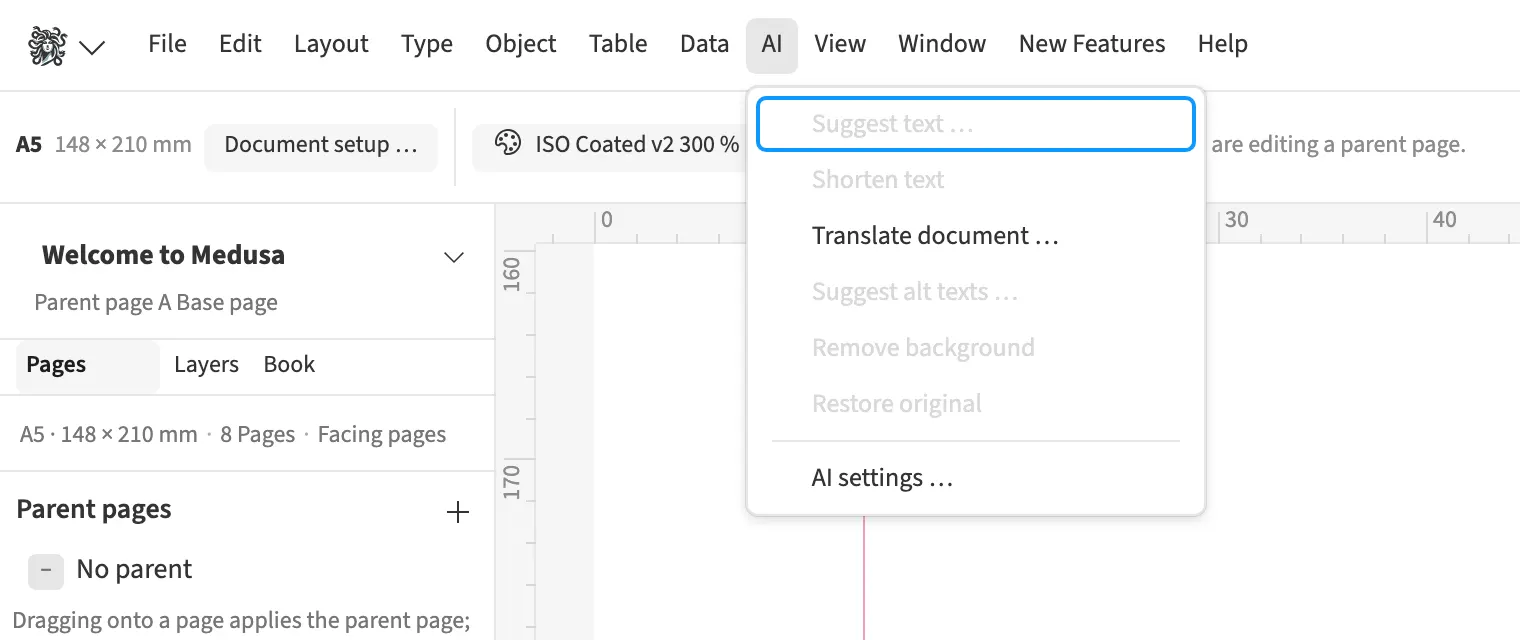
Where to find itAI › Suggest text …
Text suggestions generate three variants for a headline, a headline-and-subheading pair or body copy. The source is the paragraph containing the cursor or the text in a selected frame. For a magazine opener, set tone, length and an additional instruction. Compare the variants with the existing copy and edit the chosen version by hand before accepting it. The character count helps you match the suggestion to the available space. Accepting it creates one undoable change.
How to do it
- Select a text frame or place the cursor in a paragraph.
- Open «AI › Suggest text …».
- Choose «Kind», «Tone» and «Length».
- Generate suggestions and compare the three variants.
- Edit the selected variant and confirm with «Apply».
Tips
- For an empty frame, enter a content instruction for the suggestion.
Limits
Paragraphs containing fields remain untouched, and character styles in the replaced paragraph are lost when accepting a suggestion.
Compared
Rewrite, shorten, suggest titles
- Medusa availablelive shortening down to any length, suggestion side by side
- Adobe InDesign availableRewrite↗ Adobe: Generate text variations
- QuarkXPress availableQuarky, with subscription or maintenance↗ Quark: A Guide to QuarkXPress 2025↗ Quark: Shop
- Affinity Studio no reliable statement
Vendor sources, as of 25.9.2026 · Full comparison with all sources