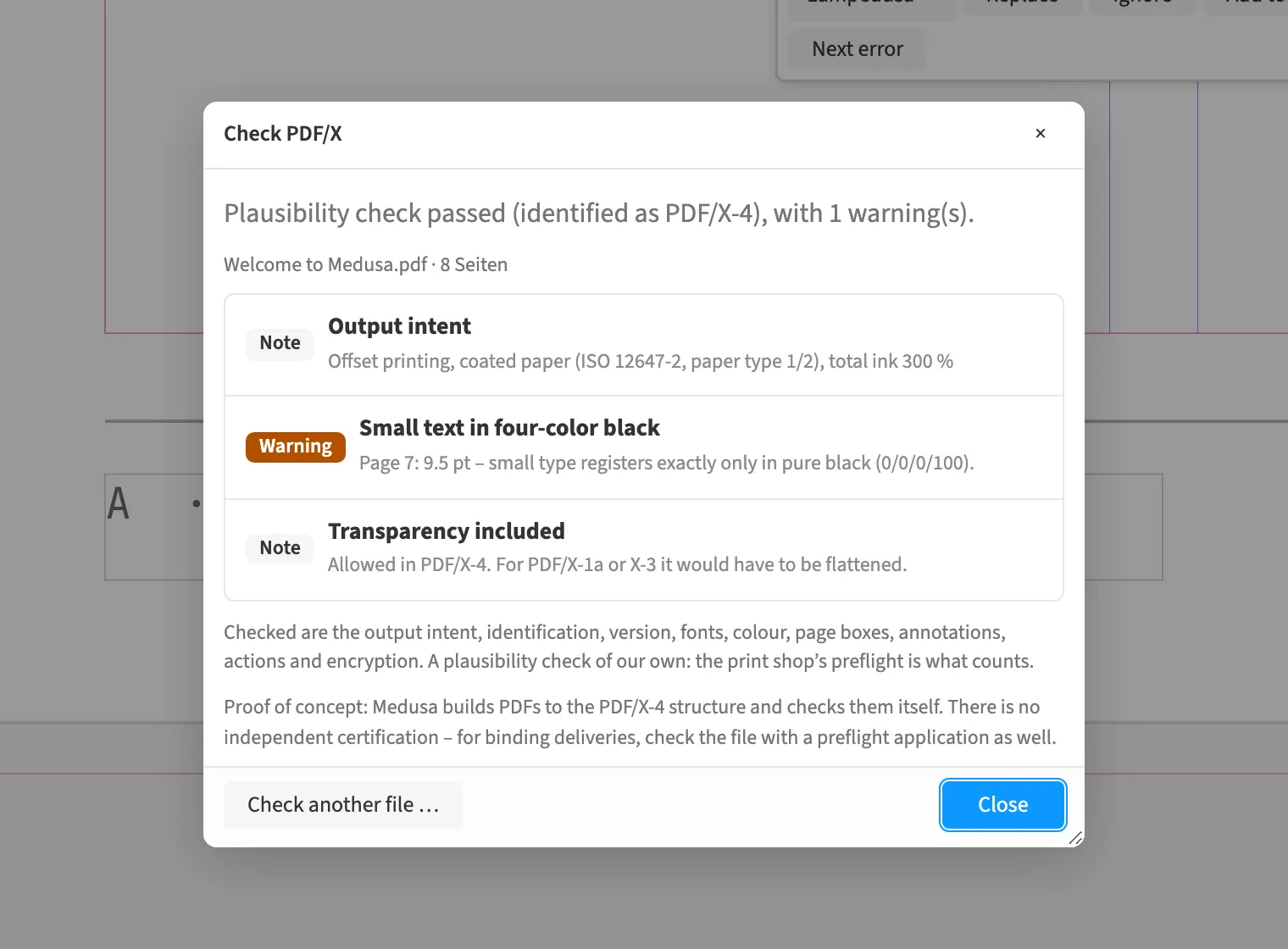
Where to find itFile › Check PDF/X …
PDF checking reads a finished file and examines its print properties. These include output intent, ICC and Lab colour spaces, embedded fonts, layers and page boxes. The preflight profile adds production findings about effective resolution, ink coverage, small type and hairlines. In a print shop, check supplied PDFs as well as your own export. The report separates technical findings from prepress thresholds and identifies locations where the check can associate them.
How to do it
- Open «File › Check PDF/X …».
- Read the report for the generated PDF.
- For a supplied PDF, click «Check another file …».
- Select the PDF file and review the report findings.
Limits
The check remains a plausibility check and does not replace independent certification.
Compared
Check someone else’s PDF
- Medusa partlyplausibility check in the browser, with preflight profile; not certified
- Adobe InDesign no reliable statement
- QuarkXPress no reliable statement
- Affinity Studio partlyopen it, then preflight↗ Affinity: Preflight
Vendor sources, as of 25.9.2026 · Full comparison with all sources