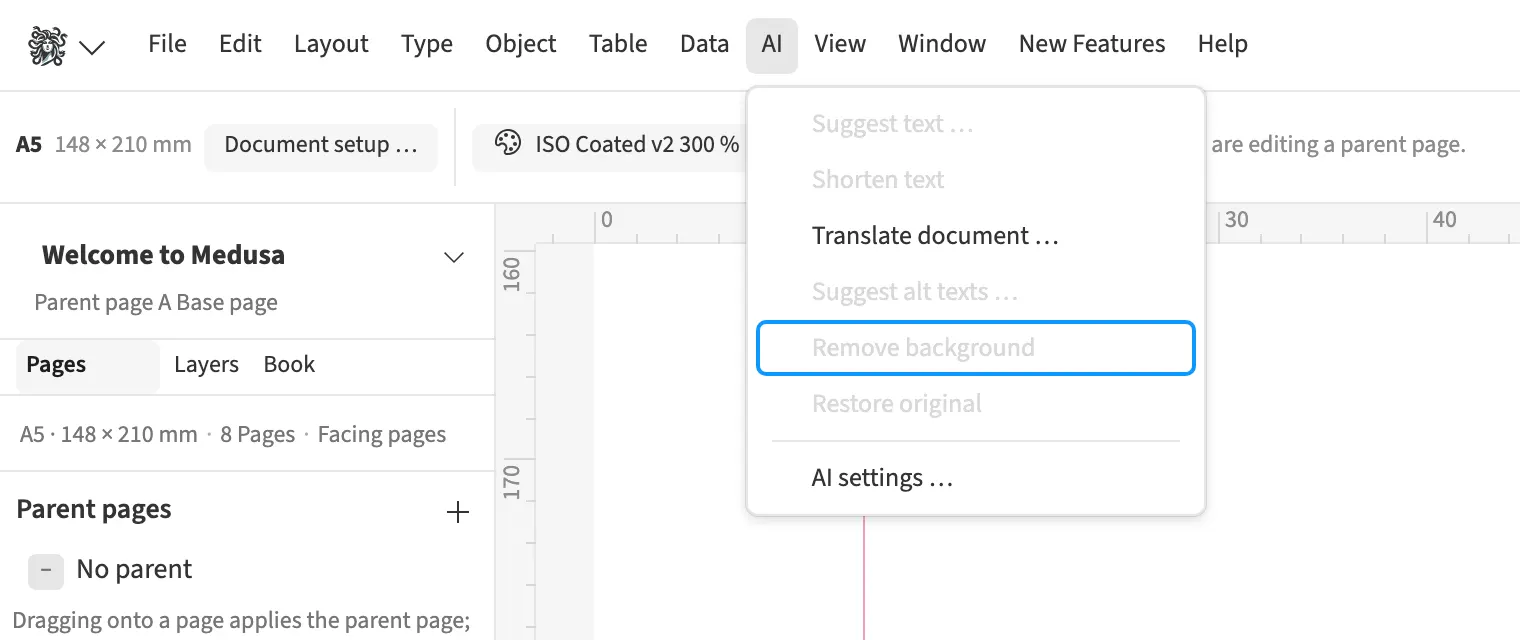
Where to find itAI › Remove background
The command removes a placed image’s background using a model in the browser. For an agency catalogue, place a product against a coloured area without overwriting the original. The result receives transparency, and the original remains available for restoration. For CMYK images, Medusa applies the calculated mask to the original data so CMYK values survive in the print PDF. Undo the operation or restore the original to remove the result.
How to do it
- Select a placed image frame.
- Open «AI › Remove background».
- Wait for the result and check edges against a coloured area.
- To revert, choose «AI» › «Restore original».
Tips
- Check the cut-out edge against a dark area too.
Limits
Manual mask retouching is outside the scope documented for this feature.
Compared
Remove background
- Medusa availablein the browser with a free model, at no cost; the image goes nowhere, the original stays
- Adobe InDesign partlyvia Adobe Express, RGB only, no CMYK↗ Adobe: Edit images (with Adobe Express)
- QuarkXPressclipping path around non-white areas↗ Quark: Guide 2025 – Pictures (PSD Import, clipping)
- Affinity Studio partlywith a Canva premium plan, processed online↗ Affinity: Canva AI – Remove background
Vendor sources, as of 25.9.2026 · Full comparison with all sources