Where to find itFile › Preflight …
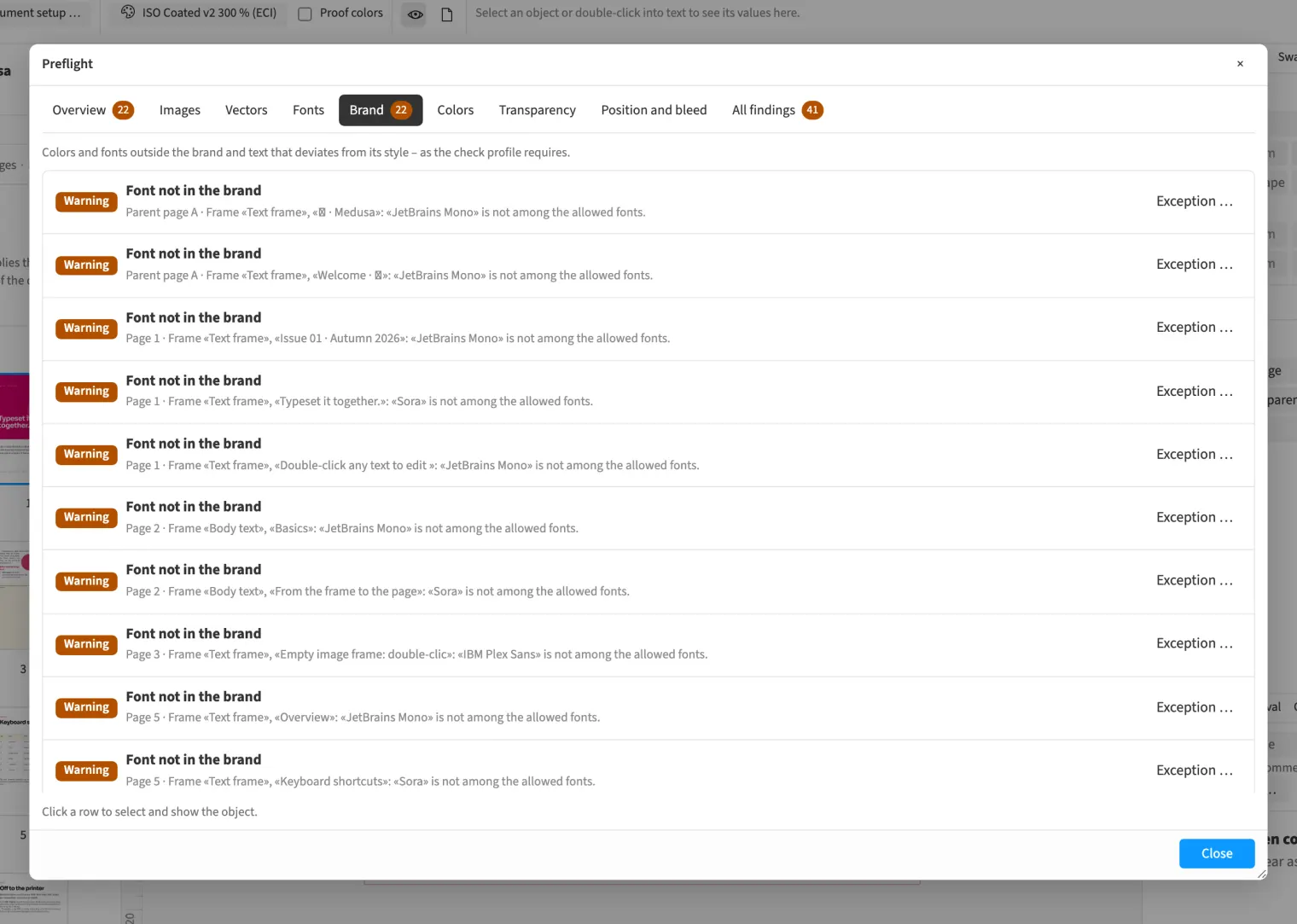
The preflight profile knows the brand: you decide which swatch colours and which font families are allowed. On request it also reports text whose font, size or colour deviates from its paragraph or character style. Every finding names page and frame, and one click jumps there. A justified deviation stays in the document as an exception with a reason. The profile travels with the brand kit.
How to do it
- Open «File › Preflight …» and click «Preflight profile …».
- Enter the allowed colours and fonts, and switch on «Text deviates from its style» if you need it.
- Then read the «Brand» tab in the «Preflight» dialog.
- For a justified finding, choose «Exception …» and write the reason.
Limits
The check knows swatches by name. Placed PDFs and pixel images are listed as «unchecked»; it does not check their colours. An exception applies to one frame and does not travel with the brand kit.
Compared
Live preflight
- Medusa availablefindings on the page, own profiles
- Adobe InDesign available↗ Adobe: Live preflighting
- QuarkXPress partlyvia Job Jackets↗ Quark: A Guide to QuarkXPress 2025
- Affinity Studio available↗ Affinity: Preflight
Vendor sources, as of 25.9.2026 · Full comparison with all sources