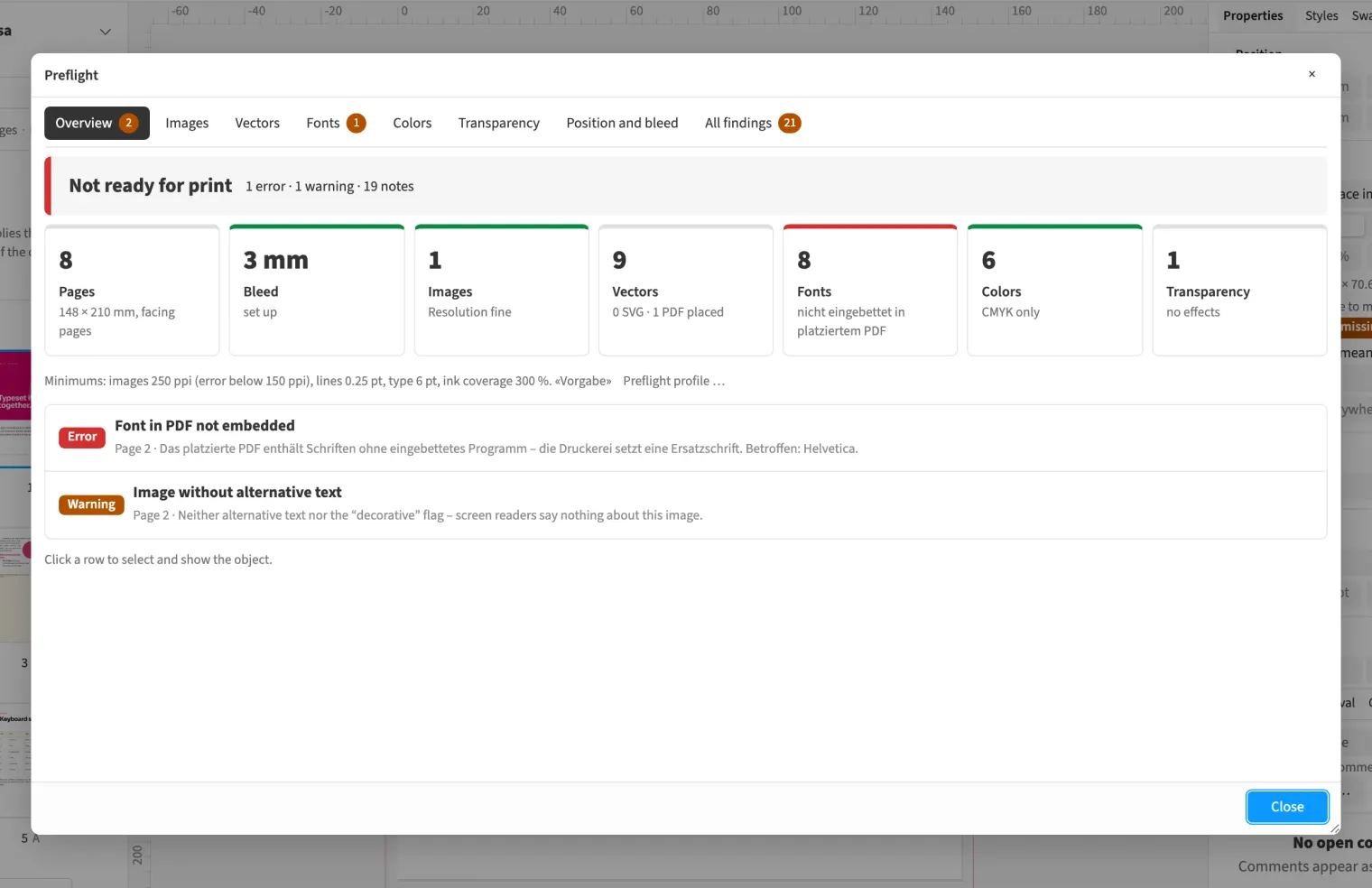
Where to find itFile › Preflight …
As soon as you place or update a PDF, Medusa checks it in the background, not only at export. Preflight reports at the frame when fonts are not embedded, when content is in RGB, when ink coverage is too high, when white overprints or registration colour is used. The page you place is the one that is checked. The result is stored with the placed item and does not run again each time you open the document.
How to do it
- Place the PDF with «File › Place …».
- Open «File › Preflight …».
- Read the «Placed PDF» lines; each names page and frame.
- Click a line to jump to the frame.
Tips
- Fonts that are not embedded count as an error, the other findings as a warning.
Limits
Medusa does not repair the PDF or convert RGB to CMYK. It is a plausibility check, not a certification.
Compared
Check someone else’s PDF
- Medusa partlyplausibility check in the browser, with preflight profile; not certified
- Adobe InDesign no reliable statement
- QuarkXPress no reliable statement
- Affinity Studio partlyopen it, then preflight↗ Affinity: Preflight
Vendor sources, as of 25.9.2026 · Full comparison with all sources