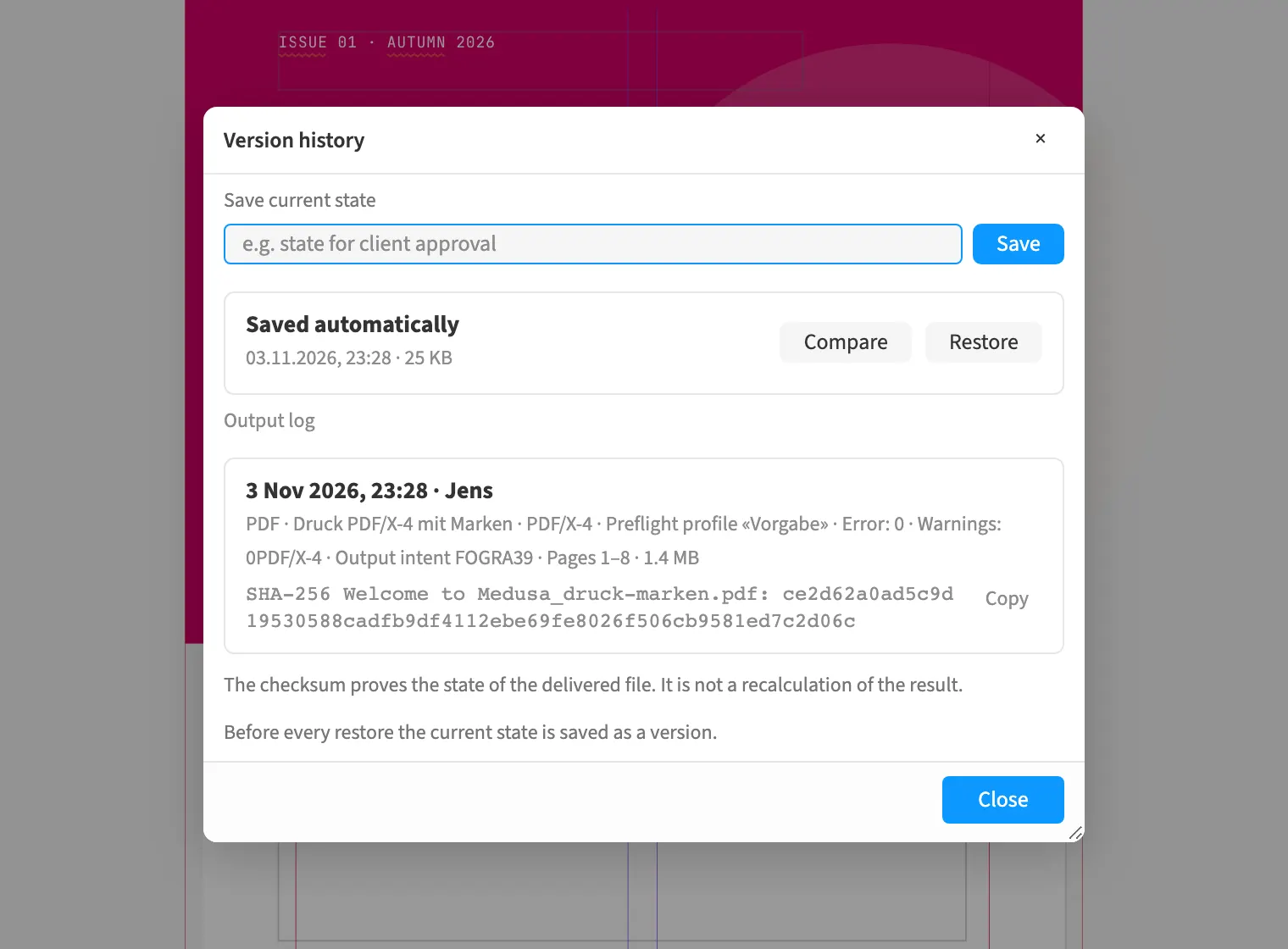
Where to find itFile › Version history …
Every PDF export and every package writes an entry into the document: who output it, when, with which preflight profile and findings, for which target, plus the SHA-256 checksum of the delivered file and the Medusa version. The page list marks pages that have changed since the last output. An approval names the output it refers to. The report of a package carries an extract of the log. That lets you prove later what went out, and when.
How to do it
- Output the PDF with «File › Export …» or build a package with «File › Package …».
- Open «File › Version history …» and read the «Output log» section.
- Use «Copy» to take the checksums of an entry when you need to pass them on.
- Watch the page list for the «Changed since the last output» mark.
Tips
- Readers see the log in the version history; only editors can add to it or change it.
Limits
The checksums prove the state of the delivered files; they do not recompute the result and are not a signature. The document keeps the last 50 entries.